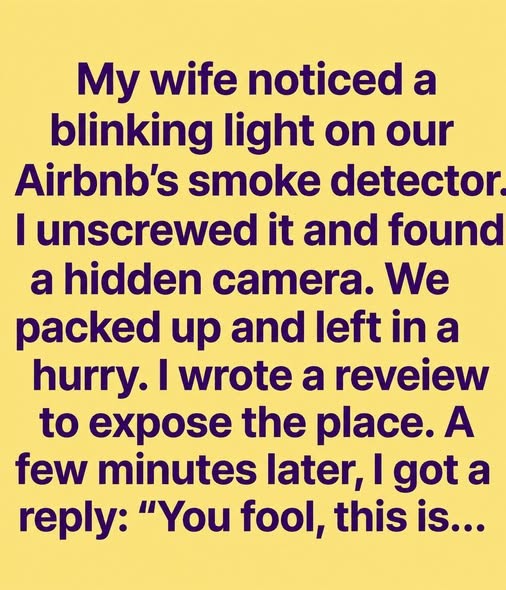
The Tiny Blinking Light in Our Home Made Us Look at Everyday Technology Differently
Small indicator lights are easy to ignore during the day. At night, however, even a faint glow from a router, smart speaker, television, charger, security device, or appliance can suddenly become noticeable. A tiny blinking light may be entirely routine, but it can also prompt useful questions about the many connected devices that operate quietly in modern homes.

It was late at night when we noticed a small blinking light in the corner of the room. The house was quiet, the main lights were off, and there was no obvious activity nearby. At first, it seemed too faint to matter. Yet once it had been noticed, it became difficult not to wonder what it belonged to and why it was flashing.
That experience is familiar in homes filled with everyday technology. Many modern devices communicate their status through light-emitting diode, or LED, indicators. These lights may show that a device has power, is charging, is connected to Wi-Fi, is receiving data, is recording information locally, or needs attention. In most cases, the explanation is simple and harmless. Still, the moment can be a useful reminder that homes now contain an expanding network of digital tools working in the background.
Why Tiny Blinking Lights Are So Noticeable at Night
Human vision adapts to low-light environments. When a room becomes darker, small points of light can appear much more prominent than they did during the day. A router LED across the room, a television standby light, or the charging indicator on a power bank may seem unusually bright once the eyes adjust.
There is also a practical reason people pay attention to these signals. Lights are a form of communication. Manufacturers use different colors and flashing patterns to convey information without requiring a screen. A steady white light might indicate normal operation, while an amber, red, or rapidly flashing light could signal setup mode, weak connectivity, a low battery, or a system update. The meaning varies significantly between brands and models, so the user manual or the manufacturer’s support page remains the most reliable source.
In a quiet home, a blinking light can also represent something larger: the presence of technology that continues operating after people have gone to bed. Internet routers maintain network connections. Smart thermostats monitor temperature. Security systems may remain armed. Appliances can preserve settings, and phones or tablets may download updates while charging. These routine functions are part of daily life, but they are often invisible until an indicator light draws attention to them.
Common Household Devices That Use LED Indicators
A useful first step is to look for nearby devices. The source may be less mysterious than expected. Common examples include Wi-Fi routers and mesh-network hubs, which often blink to show internet traffic or connection status. Cable boxes, streaming devices, smart televisions, game consoles, and speakers may display standby or network activity lights. Chargers, extension leads, battery packs, air purifiers, humidifiers, and robotic vacuum docks also commonly use LEDs.
Some lights are designed specifically to attract attention. Smoke alarms and carbon monoxide alarms may have status lights that indicate power or normal operation, although their exact behavior depends on the product. These safety devices should never be disabled merely because an indicator is distracting. If an alarm light changes color, begins flashing differently, or is accompanied by a chirp or warning sound, residents should consult the device instructions promptly. Manufacturers and local fire-safety authorities provide guidance for testing and maintaining alarms.
Smart home products add another layer of complexity. Video doorbells, indoor cameras, voice assistants, smart displays, connected plugs, and home security hubs may use lights to show that microphones, cameras, motion sensors, or network features are active. A visible indicator can be a helpful transparency feature, but users should still understand the settings of each device in their home.
A Calm Way to Identify an Unknown Light
When a light cannot immediately be identified, there is no need to assume the worst. A methodical approach is more useful. Start by observing the location, color, and timing. Is the light fixed in one place? Does it flash at regular intervals? Does it appear only when a particular appliance is connected or charging? Turning on a room light can make it easier to trace the source safely.
Next, check devices in the area one at a time. Look behind furniture, near power outlets, around entertainment systems, and beside charging stations. Many indicator lights are placed on the back or underside of equipment, where they may not be visible in daylight. If a device is unfamiliar, identify its brand and model before searching the manufacturer’s official documentation.
It is important not to tamper with electrical wiring, smoke alarms, utility equipment, or unfamiliar installed hardware. If a light appears connected to an electrical fault, such as a damaged outlet, unusual heat, burning smell, repeated tripping of a circuit breaker, or visibly damaged cable, stop using the equipment and seek qualified professional help. Electrical safety guidance from public authorities emphasizes avoiding improvised repairs when there is uncertainty.
Connected Homes and the Importance of Digital Awareness
The blinking light can lead to a wider conversation about digital awareness at home. Internet-connected devices offer convenience, accessibility, entertainment, and security features. A smart thermostat can help manage heating schedules. A connected doorbell can provide alerts when someone arrives. A voice assistant can set reminders, play audio, or support hands-free control for some users. However, these benefits also make it important to understand what devices are connected and how they handle data.
Cybersecurity agencies regularly recommend a few straightforward steps for household technology. These include using unique, strong passwords; changing default passwords on new devices; enabling multi-factor authentication where available; installing software and firmware updates; and reviewing which accounts have access to a device. A secure home Wi-Fi network is also essential, since many connected products depend on it.
It can help to make an inventory of connected devices. This does not need to be complicated. A simple list of phones, computers, streaming boxes, cameras, speakers, appliances, and smart-home hubs can make it easier to spot devices that are no longer used. Removing old devices from an account or network can reduce clutter and may improve security.
Privacy Settings for Cameras, Microphones, and Smart Devices
Privacy concerns are understandable whenever a household device includes a camera, microphone, location service, or internet connection. Responsible use begins with choosing products from established manufacturers that provide clear support information, security updates, and accessible privacy controls. Before setting up a device, users should read the privacy notice and review the available settings.
For cameras, consider where they are installed and who can access the footage. Indoor cameras should be placed thoughtfully, particularly in shared spaces. Many devices allow owners to turn cameras off, schedule activation, use privacy shutters, or limit notifications. For voice-enabled products, users can generally review microphone controls, voice-history settings, and account permissions through the device’s app or account dashboard.
It is also wise to consider guests and other members of the household. Clear communication builds trust. People should know when cameras or smart devices are in use, especially in areas where privacy expectations are higher. Rules may differ by country and region, but transparency and consent are sensible principles in any shared home.
When an Indicator Light May Need Attention
Most blinking lights indicate ordinary operation, but a change in behavior can be worth investigating. A router that suddenly shows an error color may have lost its internet connection. A battery-powered device may be signaling that it needs charging or replacement batteries. A smart appliance might be waiting for setup, maintenance, or a software update. The official manual is usually more useful than general online advice because flashing patterns are not standardized across all products.
If a device is no longer needed, unplugging it may be appropriate, provided it is safe to do so and does not affect essential functions. Before disconnecting security equipment, safety alarms, medical equipment, or devices used for accessibility, ensure that doing so will not create a problem. In rented housing, residents should avoid modifying landlord-installed systems without permission.
For a device that seems unfamiliar or suspicious, checking the home network’s connected-device list may provide useful information. Most router administration pages or companion apps show devices currently using the network. Device names may not always be clear, but matching listed hardware with known phones, televisions, speakers, and appliances can help identify what remains. If there is concern about unauthorized network access, changing the Wi-Fi password and updating router firmware are sensible first actions.
Reducing Light Distractions Without Reducing Safety
Once the source is identified, there are practical ways to reduce unwanted light in bedrooms and living spaces. Some products have a setting to dim or disable status LEDs. Televisions, routers, and smart speakers may offer this option through their menus or mobile apps. Positioning equipment behind a cabinet door with adequate ventilation, or orienting a device away from the bed, can also make a noticeable difference.
Small removable light-dimming stickers are another option for non-essential indicators. However, they should not cover lights needed for safety, ventilation, operation, or troubleshooting. They should never obstruct a smoke alarm, carbon monoxide alarm, emergency indicator, display, sensor, or device that could overheat. When in doubt, leave the indicator visible and consult the product manufacturer.
The aim is not to eliminate every light or disconnect every device. It is to make informed choices. A home can remain connected and convenient while still feeling calm, private, and comfortable at night.
What Everyday Technology Can Teach Us
A tiny blinking light may seem like an insignificant detail, but it can encourage a more thoughtful relationship with technology. It reminds us that digital systems are not abstract. They are physical objects in our rooms, connected to networks, accounts, electricity, and routines. Understanding them does not require technical expertise; it begins with paying attention, checking reliable information, and asking practical questions.
Which devices are connected to the internet? Who has access to them? Are their passwords secure? Are updates enabled? Which lights indicate normal operation, and which ones require action? These questions support safer, more intentional use of technology in the home.
In the end, the faint light in the corner may simply belong to a charger, router, or appliance doing exactly what it was designed to do. Yet noticing it can still be valuable. It offers a quiet prompt to understand the tools around us, improve digital habits, and create a home environment that feels both modern and reassuring.
Sources
- Cybersecurity and Infrastructure Security Agency: Secure Our World
- U.S. Federal Trade Commission: How to Secure Your Home Wi-Fi Network
- National Fire Protection Association: Smoke Alarm Safety
- CDC: Carbon Monoxide Frequently Asked Questions
- National Institute of Standards and Technology: Privacy Framework
Disclaimer: This content is intended for entertainment purposes only and is not based on real events.