Unlocking Hidden Smartphone Shortcuts: Efficiency Tricks Every User Should Know
Introduction: The Power Behind Everyday Smartphone Use
Smartphones have become indispensable tools, central to managing our daily activities, communication, entertainment, and work. While most users are familiar with tapping, swiping, and scrolling, many do not realize that their devices contain a wealth of hidden shortcuts and features. These tools are designed to optimize efficiency, streamline daily routines, and reveal the true capabilities of modern smartphones. By leveraging these tricks—often accessible through simple gestures or button presses—users can transform their smartphone experience, making devices more powerful, responsive, and helpful in day-to-day life.
Instant Actions: Simplifying Daily Interactions
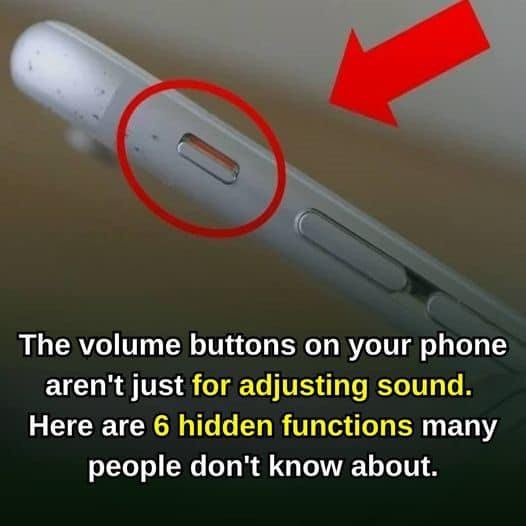
Among the most practical smartphone shortcuts is silencing an incoming call with a single press of the volume button. This action instantly mutes the ringer without declining the call, serving as a discreet option in meetings, classrooms, or public settings. Such simple yet effective gestures prevent interruptions and maintain a professional or respectful atmosphere.
Another valuable shortcut is rapid camera access, widely available on both Android and iOS devices. Instead of unlocking your phone and searching for the camera app, a double tap of the power or side button, or a swipe on the lock screen, launches the camera instantly. This feature enables users to capture fleeting moments—from a child’s first steps to spontaneous sunsets—without delay. As a result, more spontaneous and memorable photographic opportunities are preserved, highlighting how these shortcuts can enhance everyday experiences.
Personalization for Efficiency: The Role of Widgets and Interface Customization
Personalizing your smartphone is a key strategy to optimize efficiency. Widgets are a prime example, allowing users to place essential information directly on the home screen. Common widget options include weather updates, reminders, calendar events, music controls, and health tracking tools. By reducing the need to open multiple applications or navigate through menus, widgets save time and streamline common tasks.
Customization extends to adjusting interface elements such as app layouts, notification settings, and display arrangements. For instance, organizing apps by frequency of use or categorizing them into folders makes navigation more intuitive. Some operating systems also support themes and icon packs, further tailoring the visual experience to individual preferences. This personalization not only enhances functionality but also contributes to a sense of ownership and comfort with the device.
Enhancing Usability: Dark Mode, Night Mode, and Accessibility Features
With prolonged screen time becoming the norm, features like Dark Mode and Night Mode have become essential for user comfort. Dark Mode replaces bright backgrounds with darker hues, reducing eye strain and conserving battery life on devices with OLED screens. Night Mode often filters blue light, making screen usage gentler on the eyes, particularly during evening hours.
Accessibility settings offer further enhancements, such as text size adjustments, high-contrast themes, and voice control options. These tools empower users with different needs and preferences to customize their smartphone experience. According to experts at the Mayo Clinic and CDC, minimizing blue light exposure in the evening can improve sleep quality, underscoring the significance of these features for overall well-being.
Maintaining Peak Performance: Tips for Device Longevity and Speed
Regular maintenance is crucial for keeping your smartphone fast, responsive, and reliable. The following strategies are recommended by technology analysts and industry professionals:
- Adjusting Screen Brightness: Lowering brightness reduces battery consumption and prolongs device life.
- Removing Unused Apps: Deleting applications that are no longer needed frees up storage space and boosts operating speed.
- Clearing Unnecessary Files: Regularly deleting old photos, videos, downloads, and cache data prevents slowdowns and maximizes available storage.
- Using Power-Saving Modes: Activating built-in battery saver options extends device usage during long days or travel, ensuring connectivity when needed most.
These steps are easy to implement and contribute significantly to the overall health of your smartphone. Internationally, consumer technology organizations emphasize routine maintenance as a best practice for extending device lifespan and preserving optimal functionality.
Importance of Regular Software Updates: Security and New Features
Keeping your smartphone’s software up to date is one of the most effective ways to ensure security and improved performance. Software updates—pushed by manufacturers and operating system providers—address vulnerabilities, fix bugs, and introduce enhancements, from new camera features to refined privacy controls.
Experts from the BBC and The Guardian stress that timely updates are critical for protecting personal data and ensuring devices remain compatible with evolving app ecosystems and digital services. By enabling automatic updates or regularly checking for new releases, users safeguard their information and benefit from the latest technological advancements.
Global and Societal Impact: How Smartphones Shape Modern Living
The rise of smartphones and their hidden efficiencies has had a profound impact on global society. Instant communication, mobile productivity tools, digital payments, and real-time navigation have transformed the way individuals work, socialize, and manage daily routines. Analysts at Reuters and Al Jazeera report that smartphone technology continues to drive innovation in sectors such as education, healthcare, and commerce, enabling access to information and services that were previously out of reach.
International reactions highlight a growing emphasis on digital literacy and smart device management, with educational initiatives focusing on teaching users how to leverage shortcuts, personalization, and maintenance for improved efficiency. These efforts are designed to balance the opportunities provided by smartphones with challenges related to screen time, privacy, and security.
Expert Commentary: Recommendations for Smarter Smartphone Use
According to industry leaders and digital privacy advocates, mastering smartphone shortcuts and tools is vital for optimizing user experience. Specialists recommend the following:
- Explore Settings: Spend time in device settings to discover hidden options and customize controls.
- Practice Gestures: Utilize gestures for multitasking, such as three-finger swipes for screenshots or split-screen modes on compatible devices.
- Leverage Automation: Use built-in routines or third-party apps for automatic actions like silencing notifications during meetings or powering down at night.
- Stay Informed: Follow official device manufacturer guides and updates to learn about new features and improvements.
These suggestions are rooted in objective expert analysis and reflect globally recognized best practices for digital device management.
Conclusion: Maximizing Smartphone Potential with Simple Strategies
Unlocking your smartphone’s hidden shortcuts, personalization tools, and maintenance features is a practical approach to improving efficiency, comfort, and reliability. By exploring instant actions, customizing interfaces, managing device health, and staying current with updates, users can fully realize the potential of their mobile technology—without the need for additional apps or accessories.
As smartphones continue to evolve and shape modern living, adopting these strategies ensures that devices serve as powerful, adaptable companions, equipped to meet the demands of dynamic daily routines and future advances.
Sources
Disclaimer: This content is intended for entertainment purposes only and is not based on real events.